



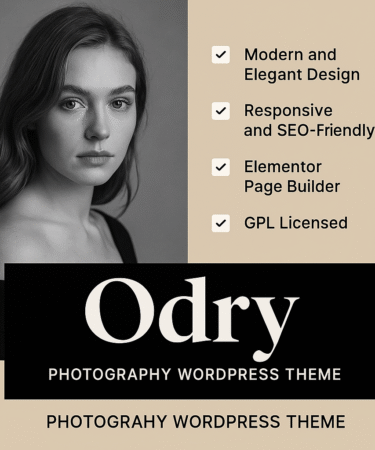
Odry – Photography WordPress Theme (GPL Licensed)
Bring Your Photography to Life with Style and Elegance
The Odry Photography WordPress Theme is a premium, minimalist, and visually stunning WordPress theme designed specifically for photographers, creative professionals, and visual artists. Whether you’re a wedding photographer, fashion shooter, travel blogger, or portfolio builder – Odry ensures your work stands out.
Built on modern design principles, Odry offers elegant layouts, immersive galleries, fast performance, and full WooCommerce compatibility – letting you sell your photos, services, or artwork with ease.
Key Features:
-
✅ Clean & Minimal Design – Perfectly showcases photography without distractions
-
✅ Responsive & Retina-Ready – Looks flawless on mobile, tablet, and desktop
-
✅ Drag & Drop Page Builder – Easy customization with no coding needed
-
✅ Pre-Built Demo Templates – Import and launch your site in minutes
-
✅ WooCommerce Support – Sell prints, services, or digital downloads
-
✅ SEO Optimized – Designed for speed and higher Google rankings
-
✅ High-Speed Performance – Lightning-fast loading times
-
✅ Multiple Gallery & Portfolio Layouts – Grid, masonry, fullscreen & more
-
✅ Advanced Theme Options Panel – Customize everything from fonts to colors
-
✅ Blog-Ready Layouts – Perfect for storytelling alongside visuals
-
✅ GPL Licensed – Use on unlimited websites, forever
Who Is It For?
-
Professional & Freelance Photographers
-
Visual Artists & Designers
-
Content Creators & Influencers
-
Portfolio & Studio Websites
-
Bloggers looking for a stylish image-first layout
✅ How to Install the Odry – Photography WordPress Theme
🔧 Step 1: Download the Theme ZIP File
-
After purchase, download the
odry.ziptheme package from your account on the website.
🧰 Step 2: Log in to Your WordPress Dashboard
-
Go to:
https://yourdomain.com/wp-admin -
Enter your admin credentials to log in.
📂 Step 3: Upload the Theme
-
In the left sidebar, go to:
Appearance → Themes → Add New → Upload Theme -
Click “Choose File”, select the
odry.zipfile -
Click “Install Now”
✅ Step 4: Activate the Theme
-
Once installed, click “Activate”
-
Odry is now your active WordPress theme
📥 Step 5: Install Required Plugins (If Prompted)
-
After activation, Odry may recommend or require certain plugins (like page builder, demo importer, etc.)
-
Click “Begin Installing Plugins” and then “Activate” them
🌐 Step 6: Import Demo Content (Optional)
-
Go to: Appearance → Import Demo Data
-
Click “Import” on the preferred demo layout
-
Wait a few minutes while the demo data loads (images, pages, settings)
🎨 Step 7: Customize Your Site
-
Go to: Appearance → Customize
-
Adjust colors, typography, logo, header, and more
-
Use Elementor or WPBakery (depending on version) to edit pages with drag-and-drop
🛍️ Step 8: Set Up WooCommerce (Optional)
-
Install the WooCommerce plugin if you plan to sell products or services
-
Configure store settings: currency, payment gateways, shipping, etc.
Customer reviews
Reviews
There are no reviews yet.
Only logged in customers who have purchased this product may leave a review.